


-
 Pick up from the Woodmart Store
-
 Courier delivery
-
 DHL Courier delivery
Description
Buy TP-Link TL-WR840N 300Mbps Wireless Router from Holooz at a low price in Bangladesh
If you want to buy the TP-Link TL-WR840N 300Mbps Wireless Router from Holooz at a low price in Bangladesh, you’re likely searching for a device that offers not only a budget-friendly option but something that actually performs well, lasts long, and simplifies your daily WiFi experience. Many users in Bangladesh prefer this model because it fits the reality of local homes, small shops, and everyday connectivity needs. The router does not try to imitate premium models. Instead, it focuses on delivering reliability, stability, and usability at a price that makes sense.
People improve their overall internet experience when they choose the right router, not just the right ISP. Even if your connection plan offers enough bandwidth, your router plays a huge role in determining how fast and smooth your experience feels. The TL-WR840N helps bridge that gap by focusing on consistency and coverage. Let’s break down everything you need so you can make a confident buying decision.
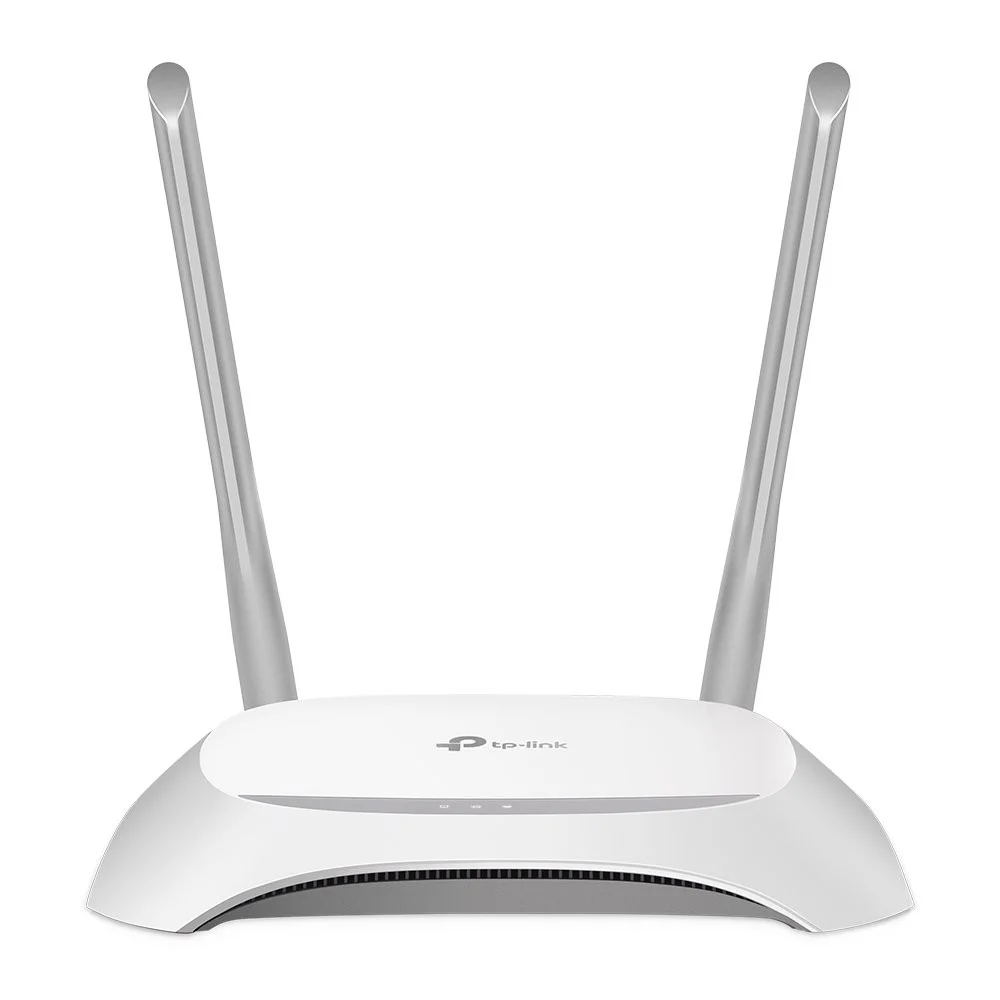
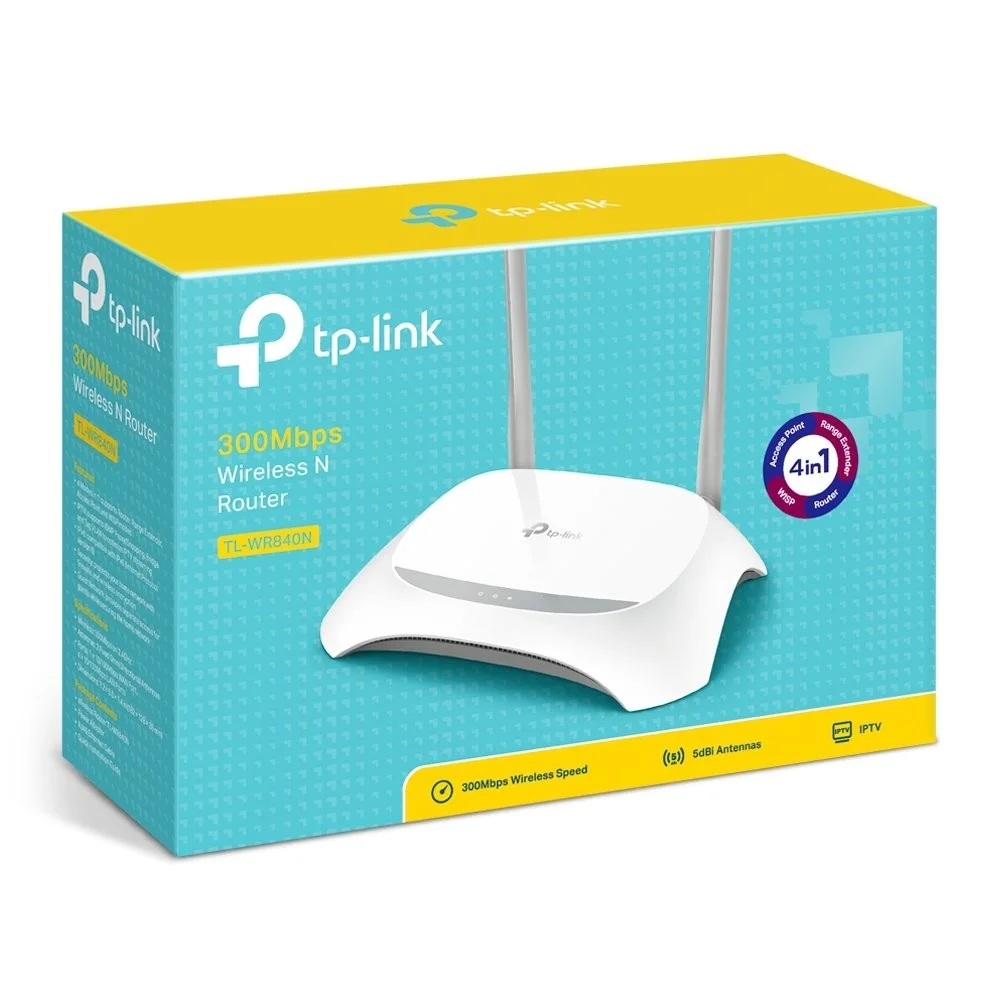
TP-Link TL-WR840N 300Mbps Wireless Router
Introduction to the TP-Link TL-WR840N 300Mbps Wireless Router
This router has become one of the most common choices for apartments, hostels, family homes, and small offices across Bangladesh. The reason is simple. It solves the most basic problem: getting stable WiFi without dealing with complicated setup screens or advanced networking terms.
Many routers in this price range look good on paper but feel fragile, overheat easily, or drop the signal without warning. The TL-WR840N avoids most of that by offering a design that has been tested for years. It’s simple, sturdy, and practical. You won’t get flashy features, but you will get predictable performance. That reliability matters for households where everyone depends on the internet for different tasks.
One advantage that makes this model stand out is how well it handles mixed usage. A family might have kids attending online classes, someone streaming YouTube, someone browsing Facebook, and someone else working from home. That combination is pretty typical in Bangladesh. This router has the right balance of range, bandwidth, and processor performance to keep things steady without creating frustration.
Key Features of the TP-Link TL-WR840N 300Mbps Wireless Router
Even though it’s considered an entry-level router, the TP-Link TL-WR840N 300Mbps Wireless Router focuses on the essentials that matter most.
Fast 300Mbps Wireless Speed
It supports up to 300Mbps, which is enough for HD streaming, social media, WhatsApp video calls, document transfers, and regular browsing. You won’t feel restricted unless you’re pushing heavy 4K streaming or running multiple big downloads at once.
Reliable 2.4GHz Band
The 2.4GHz band is particularly helpful in Bangladesh because many homes have thick brick or concrete walls. This band travels farther than 5GHz, and that alone makes it a solid pick if you have dead spots in your home.
Dual Antennas for Coverage
The router uses two external antennas that help distribute the WiFi signal more evenly. Even though these antennas are not extremely high-gain, they offer enough strength to cover small to medium homes. Users often notice fewer weak spots once they upgrade to this model.
Bandwidth Control Feature
IP-Based Bandwidth Control allows you to manage how much bandwidth each connected device can use. This matters when you want to prevent one heavy user from slowing down the entire network. It’s especially helpful for families and small office setups.
Easy to Manage
The web interface is simple, modern, and clean. You can change your WiFi password, monitor connected devices, set limits, and update firmware without getting lost.
Secure Connection Protocols
It supports WPA and WPA2, which keeps your network protected from unauthorized access. Even though these are standard, the important part is that the security actually works as expected.
Why This Router Works Well in Bangladesh
Bangladesh has a unique mix of internet users. Some rely on mobile hotspots, some depend heavily on home WiFi, and many juggle multiple connected devices. The TL-WR840N caters well to these patterns.
Reliable for Everyday Online Activities
People want their router to work consistently. They don’t want to reboot every few hours or watch videos buffer endlessly. This router keeps things stable even during peak usage times.
Good for Smaller Homes and Businesses
Most homes in Bangladesh are not huge villas. They’re apartments, two-bedroom flats, hostels, or shop spaces. The TP-Link TL-WR840N 300Mbps Wireless Router fits these environments perfectly. It covers a reasonable area without requiring booster devices.
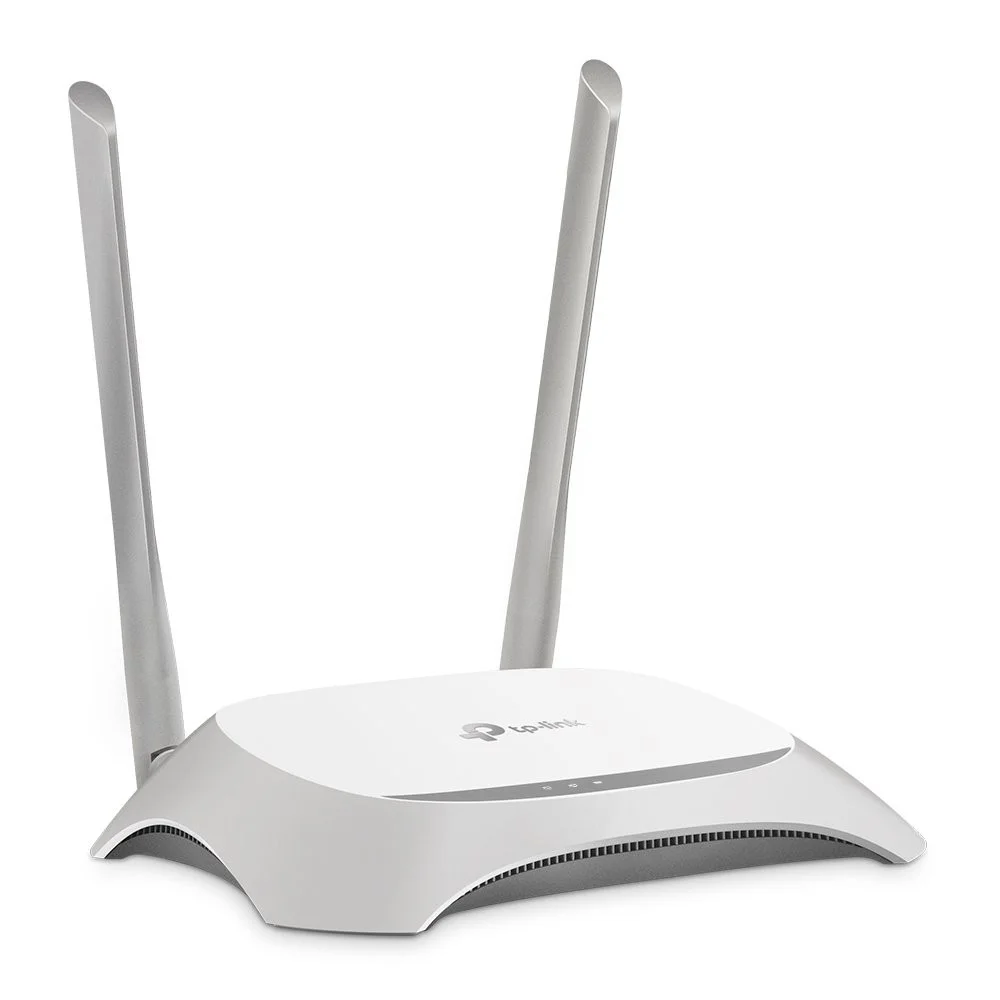
TP-Link TL-WR840N 300Mbps Wireless Router
Handles Multiple Devices Smoothly
The router can support phones, smart TVs, laptops, tablets, and even smart home devices like cameras and bulbs. As long as you’re not overloading it with heavy gaming or streaming on multiple screens, it will stay responsive.
Designed for Mixed Usage
People often underestimate how much strain a network can face during busy hours. Online classes, Netflix, Zoom, gaming, office work, and general browsing all happen at the same time. This router doesn’t overheat or collapse under typical household pressure.
Setup and Installation Guide
Setting up the TP-Link TL-WR840N 300Mbps Wireless Router is simple enough for beginners. Even if you’re not familiar with networking terms, you’ll be fine.
Step-by-Step Setup Instructions
- Connect the router to a power outlet.
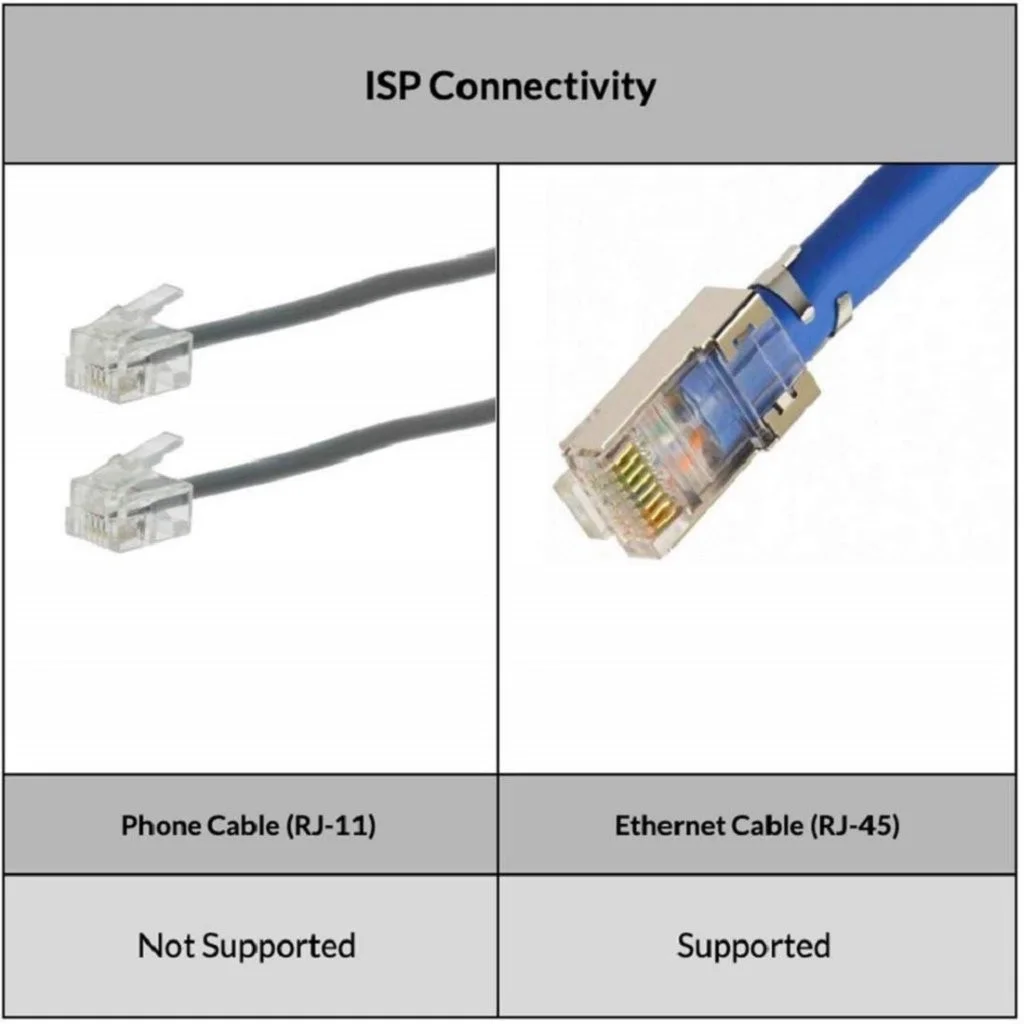
- Attach your ISP’s cable to the WAN port.
- Open your browser and type 192.168.0.1.
- Log in using the default username and password.
- Choose your connection type. Most people will use Dynamic IP.
- Configure your WiFi name and password.
- Save the settings.
- Restart the router to apply everything.
Once you finish these steps, your network should be live. It takes roughly three to five minutes to complete the whole setup.
Common Mistakes to Avoid
Many users run into issues because of small setup oversights. Avoid the following:
- Don’t keep the default WiFi password.
- Don’t hide the router inside a drawer or cabinet.
- Don’t place it behind a TV.
- Don’t skip firmware updates when available.
- Don’t use extremely long WiFi names with symbols.
Following these simple rules will give you a better experience from day one.
TP-Link TL-WR840N 300Mbps Wireless Router
Performance and Real-World Experience
The TP-Link TL-WR840N 300Mbps Wireless Router provides a steady and reliable connection during normal household use. It’s not built for extremely demanding tasks, but it performs impressively for its price range.
Streaming and Video Playback
HD streaming on YouTube or Netflix works smoothly as long as your internet plan supports the speed. You won’t see much buffering unless your signal strength is weak because of poor placement.
Mobile Gaming
This router works well for casual gaming. Free Fire, PUBG Mobile, Clash Royale, and Call of Duty Mobile run smoothly when the network is not overcrowded. You won’t get competitive-grade latency, but it performs well for casual players.
Online Meetings and Classes
Zoom, Google Meet, and Microsoft Teams run without major drops. Students and remote workers benefit from stable uploads and downloads.
Coverage Inside Bangladeshi Homes
Most flats in Dhaka, Chittagong, Sylhet, and other cities share a similar layout structure. The dual antennas help distribute the WiFi signal across two or three rooms comfortably. You might see slight drops in far corners or rooms separated by thick walls, but overall coverage is strong.
Comparison with Other Routers
It’s useful to know how the TP-Link TL-WR840N 300Mbps Wireless Router stacks up against similar models.
TP-Link TL-WR840N vs Tenda N301
The TL-WR840N offers better long-term stability and stronger antenna performance. The Tenda N301 is simpler but not as durable.
TL-WR840N vs Mi Router 4C
The Mi Router 4C has app control through the Mi WiFi app. However, the TP-Link TL-WR840N 300Mbps Wireless Router tends to provide stronger coverage and a more consistent connection.
TL-WR840N vs TP-Link TL-WR841N
The TP-Link TL-WR840N 300Mbps Wireless Router is slightly more powerful and supports higher throughput. But for the price, the TP-Link TL-WR840N 300Mbps Wireless Routerremains the more budget-friendly option without sacrificing much performance.
Pricing in Bangladesh
Prices change based on stock availability and market demand. The TP-Link TL-WR840N 300Mbps Wireless Router usually remains within an affordable range throughout the year because it’s a popular choice. Holooz maintains competitive pricing, genuine stock, updated listings, and warranty support.
Buying from Holooz gives you:
- Better delivery confidence
- Authentic products
- Easy returns
- Local warranty
- Transparent pricing
Who Should Buy the TP-Link TL-WR840N 300Mbps Wireless Router
The TL-WR840N is not for every scenario. It’s perfect for:
- Students needing stable online classes
- Small families browsing and streaming
- Home office users with basic workloads
- Shop owners using POS machines
- Tenants in shared apartments
- People switching from a weak ISP-provided router
Its simplicity and price make it appealing to buyers who don’t need advanced features but still want consistent performance.
TP-Link TL-WR840N 300Mbps Wireless Router
Pros and Cons
Pros
- Affordable pricing
- Good range with dual antennas
- Stable for everyday tasks
- Easy setup
- Durable hardware
- Works with multiple devices
- Reliable security settings
Cons
- No dual-band support
- Not suitable for heavy gaming
- No advanced MU-MIMO features
- Coverage may dip in large homes
Technical Specifications
| Feature | Details |
| Wireless Speed | 300Mbps |
| Frequency | 2.4GHz |
| Antennas | 2 External |
| Wireless Standards | IEEE 802.11b/g/n |
| Security | WPA, WPA2 |
| LAN Ports | 4 |
| WAN Port | 1 |
| Button | WPS, Reset |
| Warranty | 1 Year |
These specs make it clear the router focuses on essential features. You’re not buying a powerhouse, but you’re getting dependable performance at a great price.
Tips for Better WiFi Performance
A router can only perform well if you place it correctly.
Best Placement Ideas
- Position it in the center of your home.
- Avoid metal objects near it.
- Keep it elevated on a shelf.
- Don’t hide it behind monitors or TVs.
- Keep the antennas upright for wider spread.
Firmware Updates Matter
Firmware updates often include improved stability, enhanced security, and bug fixes. You can find updates on:
Updating once every few months boosts performance noticeably.
TP-Link TL-WR840N 300Mbps Wireless Router
FAQs
- Does the TP-Link TL-WR840N 300Mbps Wireless Router support dual-band?
No, it only supports 2.4GHz. - Is it fast enough for HD streaming?
Yes, it handles HD streaming easily with a reliable internet plan. - How many devices can it connect at once?
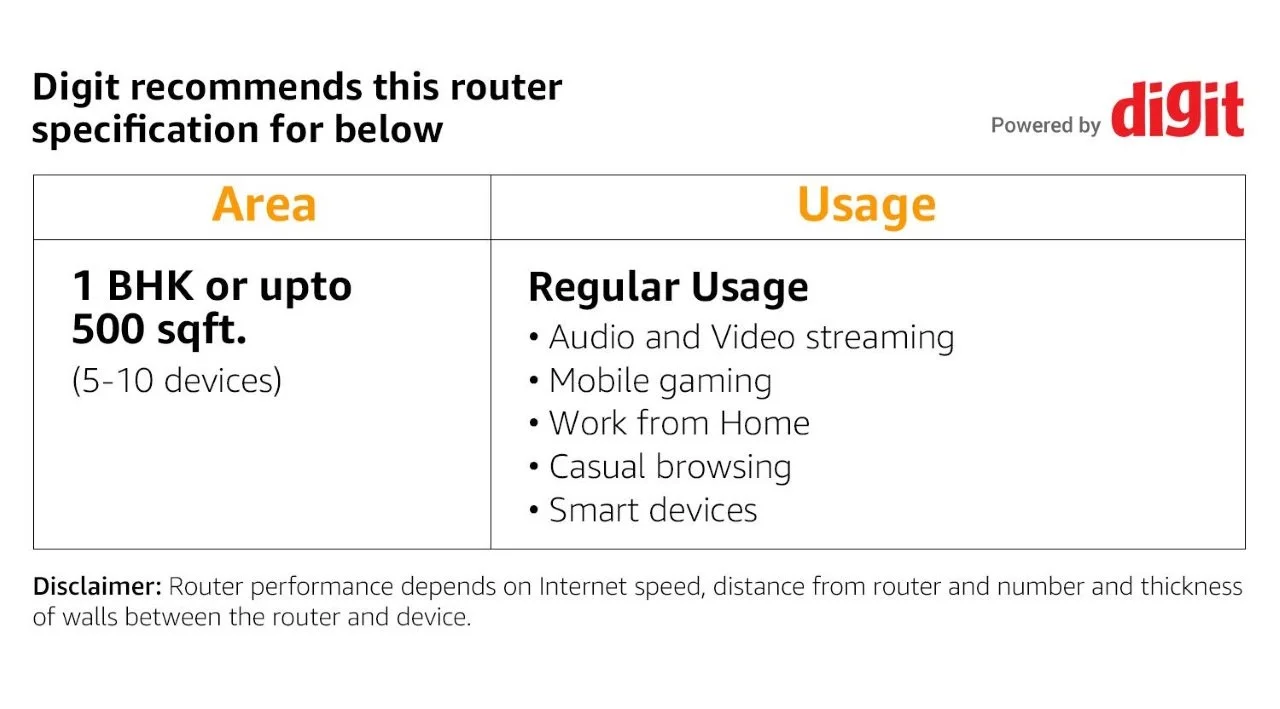
It supports around 5 to 10 devices comfortably depending on usage. - Does it support IPTV?
Yes, you can use IPTV services with this router. - Is it good for online classes?
Absolutely. It’s stable during Zoom or Google Meet classes. - Can it cover a two-bedroom flat?
Yes, in most cases it covers two to three rooms effectively. - Is it suitable for mobile gaming?
It works well for casual games but isn’t intended for competitive gaming. - Does Holooz provide warranty?
Yes, Holooz provides official warranty and customer support. - Is the router durable?
Yes, it is known for lasting longer than many budget routers. - Can I use it for shop POS systems?
Yes, it provides stable connectivity for POS machines.
Conclusion
The TP-Link TL-WR840N 300Mbps Wireless Router is a practical, reliable, and affordable router that perfectly fits the needs of everyday users in Bangladesh. If you want to buy the TP-Link TL-WR840N 300Mbps Wireless Router from Holooz at a low price in Bangladesh, you’ll get a device that offers strong value, solid performance, and simple setup. It’s ideal for students, families, remote workers, and shop owners who need consistent WiFi without spending too much.
Specification
 Overview
Reviews
You may also like



Reviews
There are no reviews yet.